Present your files beautifully

Give your files a professional look with branded download pages, simple expiry links, no advertisements, and no AI training on your files.
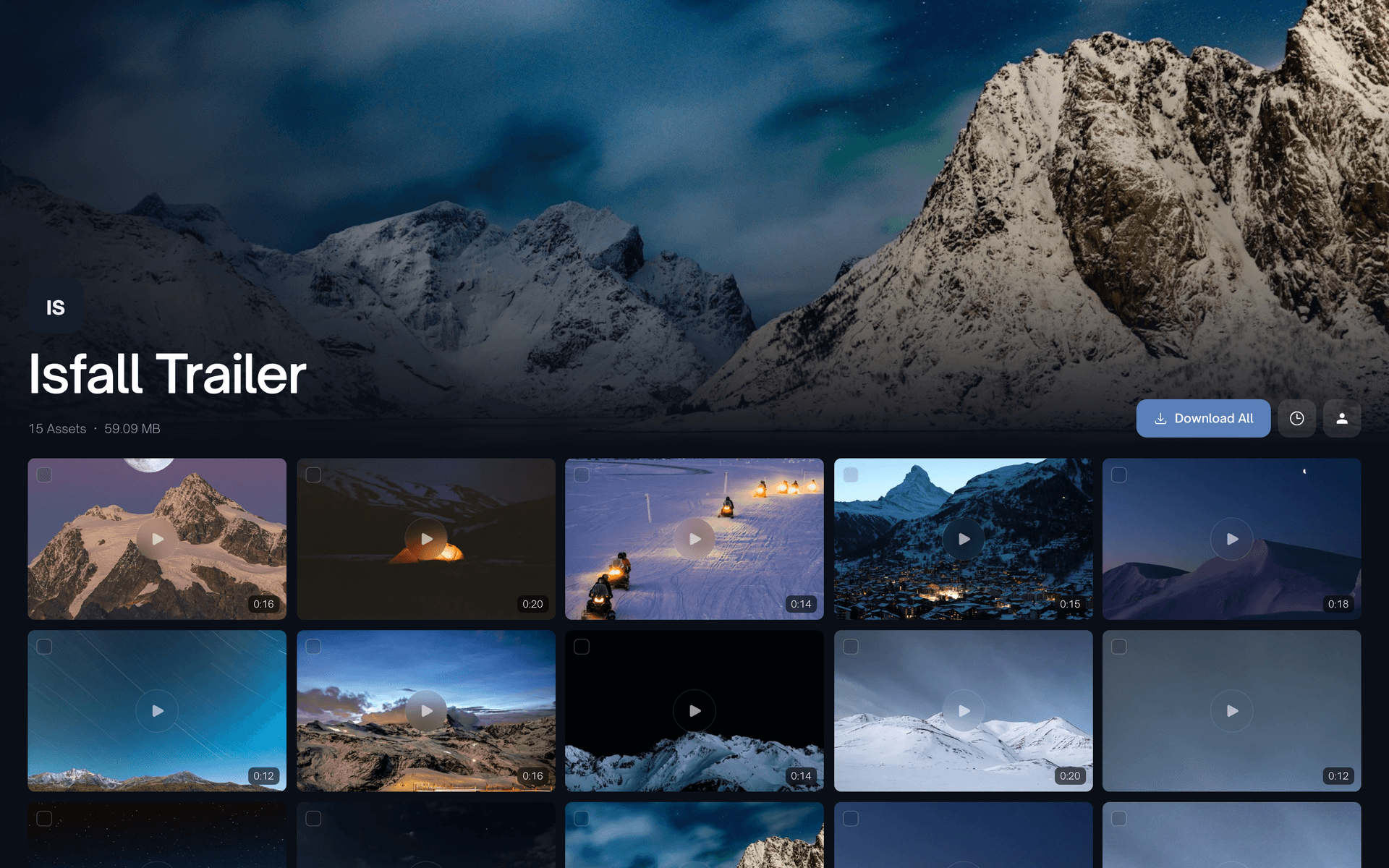
A dark branded download page with a glacier cover photo above a grid of video tiles
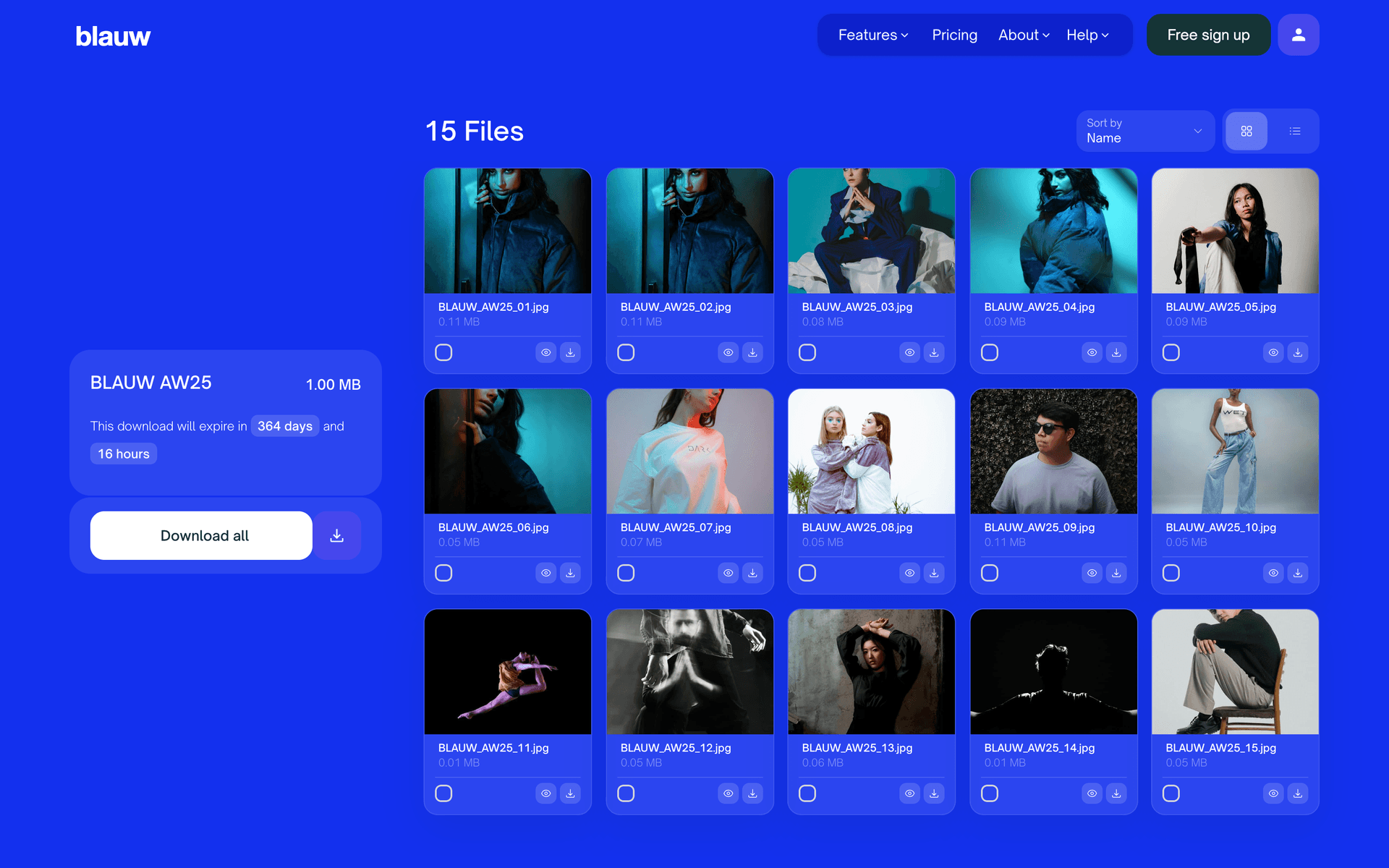
A Classic download page styled entirely in a brand's electric blue
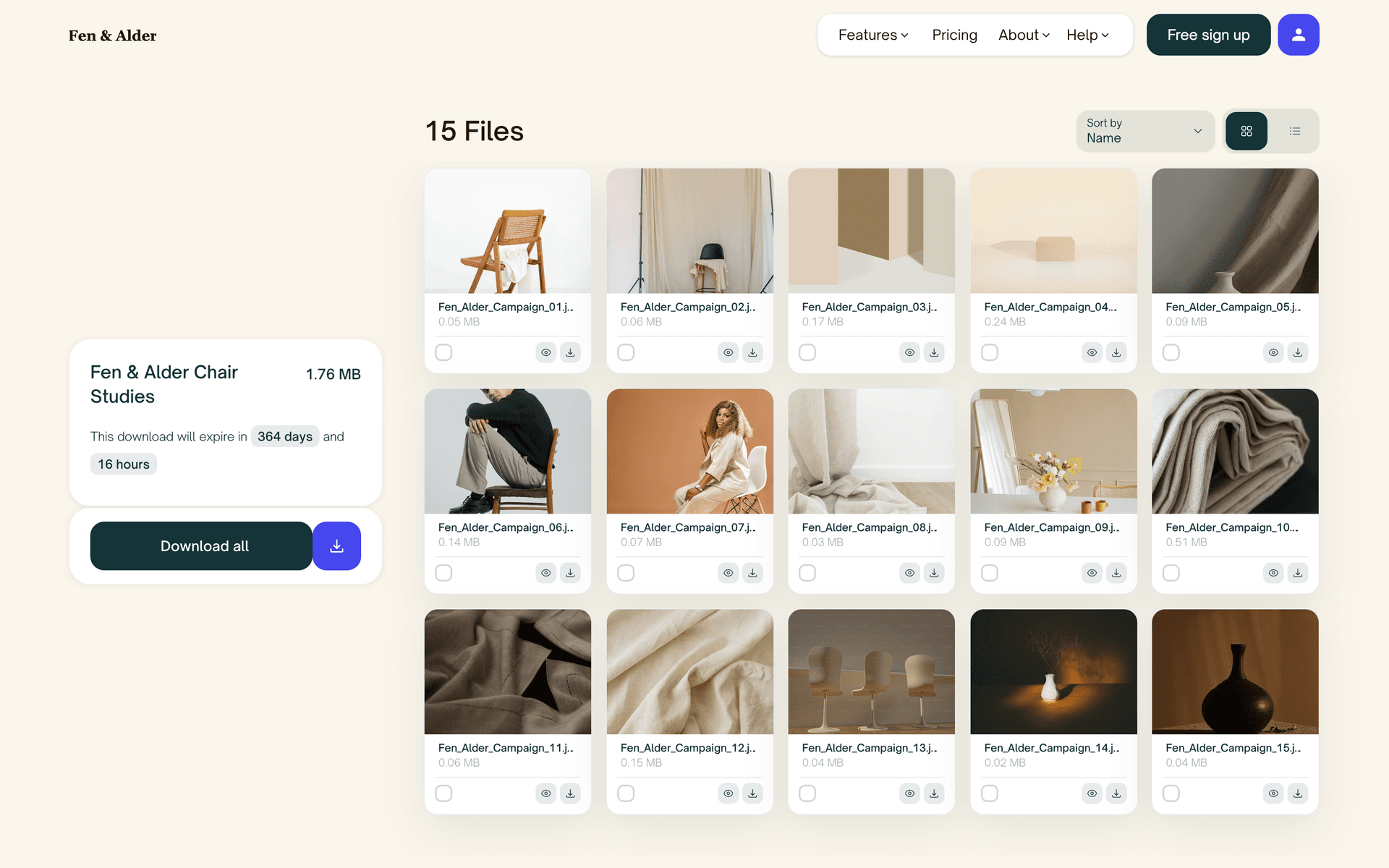
A Classic download page in a furniture brand's warm cream, with a serif wordmark and tan buttons
A light masonry download page in a studio's lavender and white palette
A dark Reel download page playing one clip large, with a thumbnail strip of the other takes underneath

Three reasons people switch

Better download experiences, better pricing and better control over your files.

Edit file transfers after sending

Edit after sending

Forgot a file? Wrong version? Open the transfer and fix it, the link stays the same. WeTransfer locks every transfer the moment you send.

No AI training on your files

No AI training

Your creative work stays yours. We never use uploads for machine learning, full stop. WeTransfer's terms allow far broader use of what you send.

Your brand on every delivery

Your brand on the page

Templates on Pro, your logo and colors on Max. Every delivery does quiet marketing on the page your clients stare at while it downloads.

Pro is $10 a month. WeTransfer charges around $25 for the tier that lets you put your own branding on a transfer.

How to switch from WeTransfer

1. Sign up free

Create your ZappFiles account in seconds. No credit card required. Start with 5GB free to test everything out.

2. Upload your files

Drag and drop just like WeTransfer. Same familiar experience, but with more features and better pricing waiting for you.

3. Share the link

Copy the link or send via email. Your recipients get a clean, ad-free download page with instant previews of your files.

4. Edit anytime

Need to add a file? Remove something? Change the expiry? Just open your transfer and make changes. The link stays the same.

Everything WeTransfer does, done better

The features creative professionals actually need.

Templates

Classic, Grid, Masonry, or Reel, each in light or dark. Pick a default or choose per transfer. Your delivery arrives looking like a portfolio piece.

Edit after sending

Forgot a file or sent the wrong cut? Add or remove files, change the expiry, rename the transfer. The link your client has never changes.

No AI training

Your work never trains a machine learning model, on any plan. We deliver your files and stay out of them. That is the whole policy.

Honest pricing

Unlimited transfers at $10/mo, and $15/mo for the top plan. WeTransfer asks $25/mo for the same freedom. Yearly billing takes it lower still.

Zero ads

No banners next to your work, on any plan, ever. Your client sees the files you sent and nothing else. WeTransfer shows ads even at $10/mo.

Longer links

Links live 14 days free, 60 on Pro, and a year on Max. No re-sending because a client opened the email late. WeTransfer gives you 3 days.

Start for free

FAQs

Can’t find the answer you’re looking for?
Reach out to our customer support team.

Three reasons come up again and again: presentation, pricing, and privacy. ZappFiles gives your downloads a branded, portfolio-style page instead of a generic one with ads. Unlimited transfers cost $10/month here, while WeTransfer moved unlimited sending to its $25/month Ultimate plan. And your files are never used for AI training.

WeTransfer retired the Pro plan. Its current lineup is Free, Starter and Ultimate. Starter keeps the $10 price but limits you to 10 transfers a month with 3-day expiry and ads on download pages. Many former Pro users are being moved toward the $25 Ultimate plan at renewal, which is why so many are shopping for an alternative right now.

Every ZappFiles transfer arrives on a designed download page. On Pro you pick from three templates (Classic, Grid and Reel, each in light or dark) and every transfer wears the look you chose. On Max you go further: your logo, your colors and your own background, so deliveries look like they came from your studio. WeTransfer has nothing comparable on Free or Starter.

WeTransfer's terms of service have granted them broad rights to use uploaded content, and their 2024 terms update caused widespread concern among creative professionals. ZappFiles explicitly does not use your files for AI training, machine learning, or any purpose other than delivering them.

For unlimited transfers: ZappFiles Pro is $10/month while WeTransfer Ultimate is $25/month. That is $180 saved per year. WeTransfer's $10 Starter plan includes only 10 transfers a month, which most working creatives burn through in the first week.

Yes. Add files you forgot, remove the wrong version, change the expiry date, or update the title, all without generating a new link. Your client keeps the same URL while you fix things behind the scenes. WeTransfer transfers are locked once sent.

ZappFiles: 14 days on Free, 60 days on Pro, up to 365 days on Max, and you can shorten or extend a live link on paid plans. WeTransfer: 3 days on Free and Starter; custom expiry requires the $25/month Ultimate plan.

Not at all, and you can try before creating an account: the ZappFiles homepage lets you send up to 3GB with no signup. The flow is the same drag, drop and share you already know. Most people send their first transfer within five minutes.

That is exactly who we build for. Instant image previews, video thumbnails, galleries up to 250GB, download page templates, and per-file selection on the receiving end. Your client picks the files they need instead of downloading one giant zip they did not ask for.